For Loxone integrators
Your cameras. An identity input for Loxone.
Extend existing Loxone projects with local person recognition. FaceStream sends the identity; the Miniserver runs the logic you configure.
From camera to automation
-
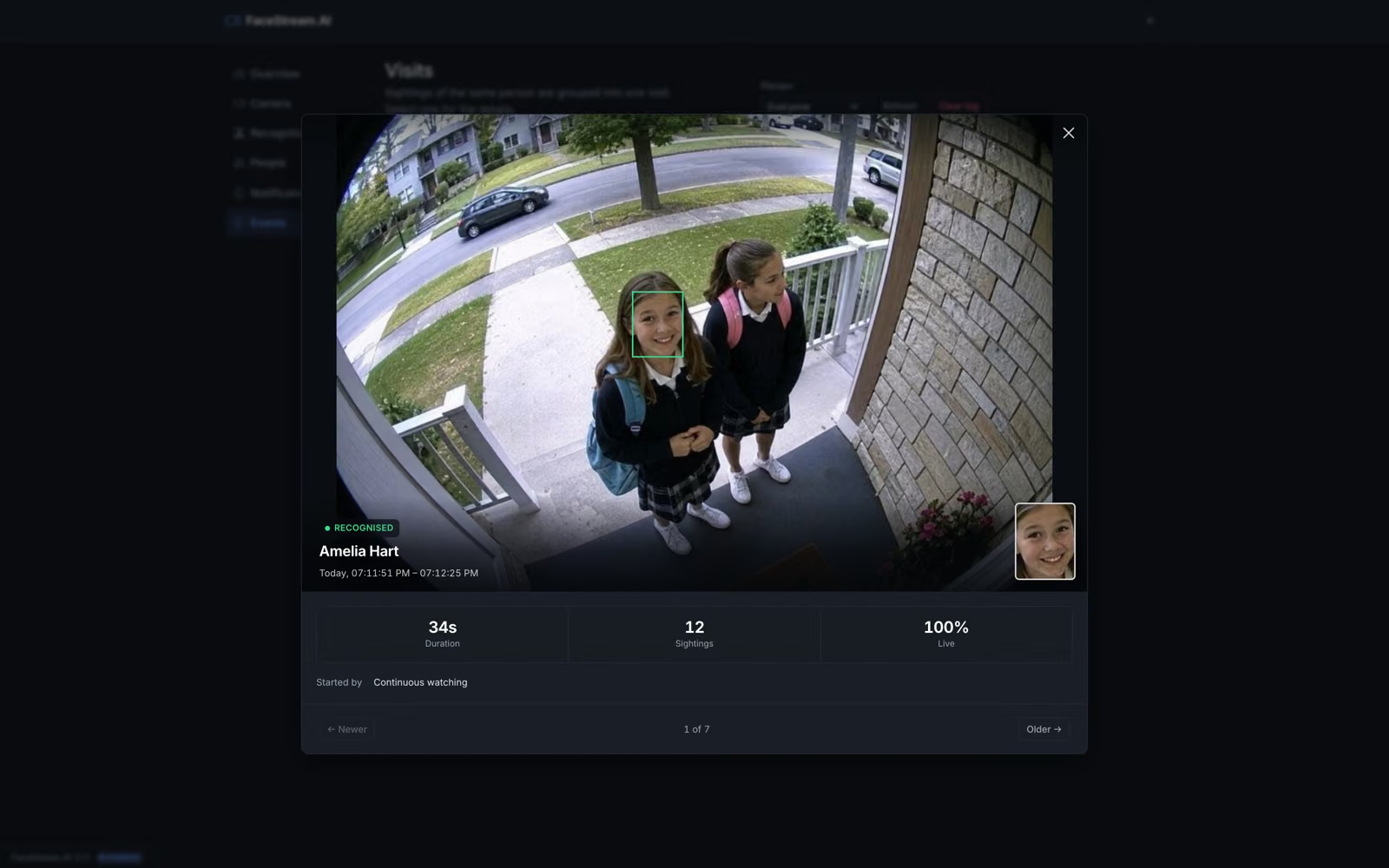
A person arrives at the camera or Intercom
-
FaceStream identifies an enrolled person
-
The name reaches a virtual text input
-
Loxone evaluates your configured welcome scene
Recognition runs on your hardware. Your automation system decides what happens next.
Keep the camera, extend the project
Use an accessible RTSP or MJPEG stream. The Loxone Intercom can supply the image; recognition can run continuously or be requested by a doorbell trigger.
Read the camera guideBuild a service around integration
Camera setup, enrolling people and configuring the Miniserver are concrete services you can deliver to your customers. Discuss demo licences and integration support with us.
Explore the partner programmeCheck the requirements first
The dedicated Loxone connection and recognition on request require Pro or higher. FaceStream and the Miniserver must be reachable on the local network.
Compare editionsBefore you decide
Does FaceStream open the door?
FaceStream reports recognition information. Any scene or physical action is determined by the configuration in Loxone.
Can I evaluate a customer project?
Time-limited Pro and Business trial licences are available on request. Tell us the camera count and intended integration so we can discuss the test.
Your next step
Bring your next Loxone use case.
Start with the integration guide or contact us about a trial for your project.