Setting up
Events and visits
The visit log: who was recognised at which camera, when and for how long, with the pictures — and how long they are kept.
On this page
Events is the log of who was where, and when. It records visits, not single sightings: somebody who stands at the door for two minutes is one line, with the time they arrived, how long they stayed and how often the camera saw them.
A visit ends once the person has not been seen for the Visit gap, 30 seconds unless you changed it under Notifications. The same person at two cameras is two visits, because they were in two places.
The list
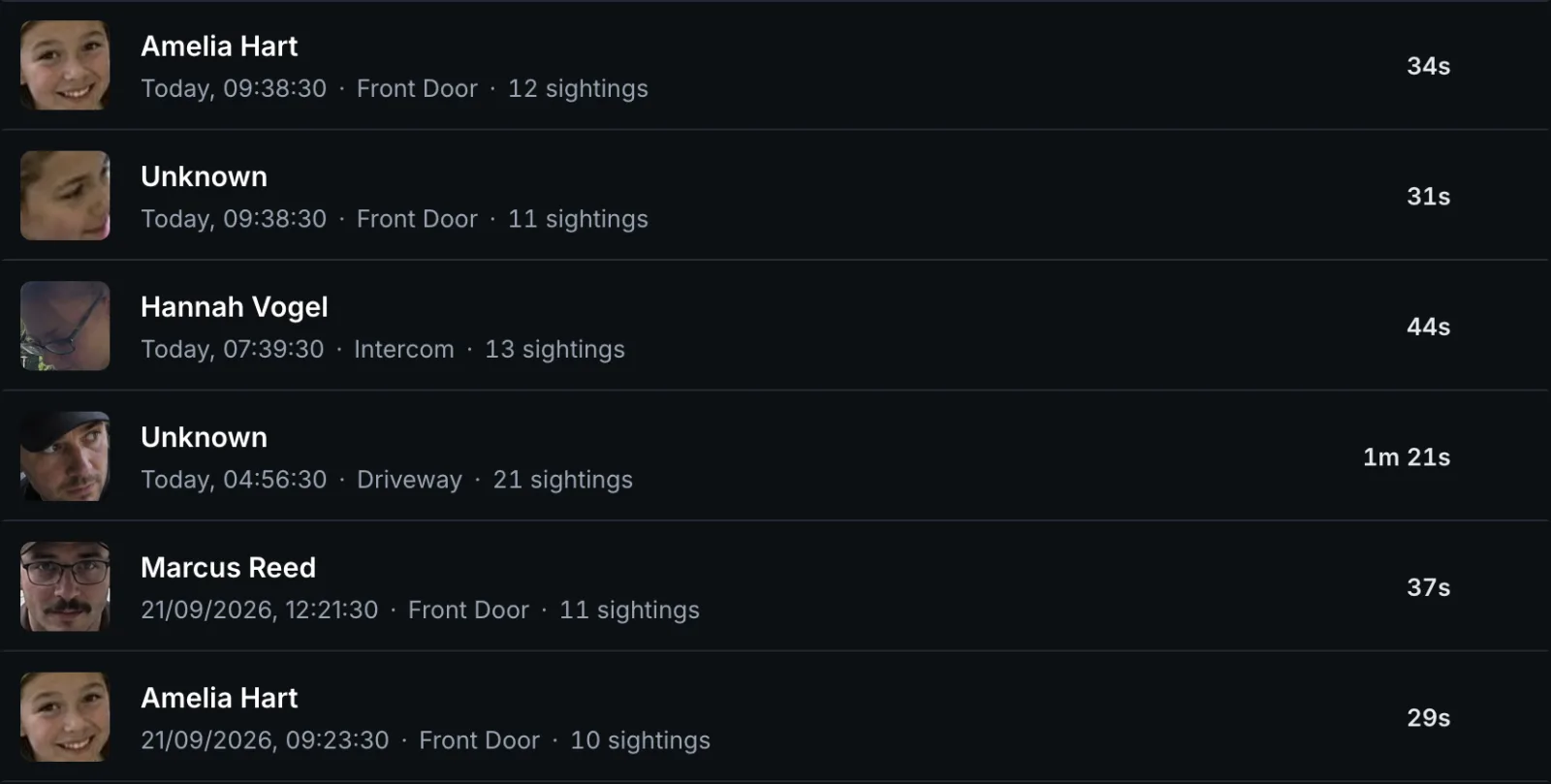
Each row shows the face photo, the name, when the visit began, the number of sightings and how long it lasted, ongoing while the person is still there. As soon as the log holds visits from more than one camera, each row also names its camera.
| Control | What it does |
|---|---|
| Camera | Shows the visits of one camera only. Appears once there is more than one |
| Person | Shows the visits of one person, or of everybody Unknown |
| Refresh | Loads the newest visits |
| Clear log | Deletes every visit and its pictures, after asking. It cannot be undone |
| The cross at the end of a row | Deletes that one visit and its pictures |
| Newer, Older | Page through a long log |
A request that ran out without recognising anybody, a Face without a match, keeps the whole picture as its photo, so its row shows the scene rather than a face.
One visit
Select a visit for the details.
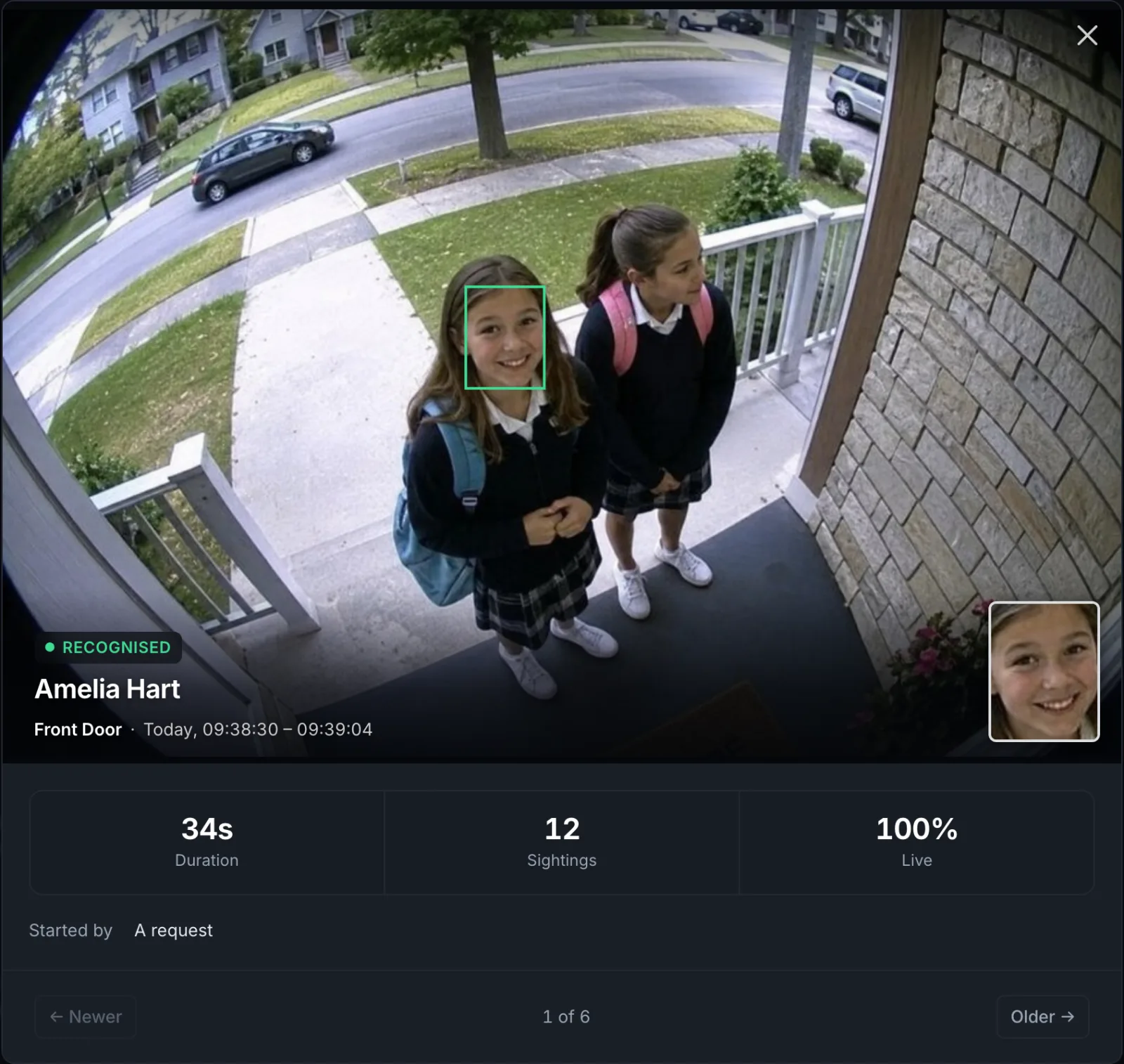
| The picture | The whole camera picture, with a frame around the face this visit is about. The small face photo in the corner switches between the two |
| Recognised, Unknown face, Suspected spoof | The verdict |
| Camera and time | Where, and from when to when. A camera that has since been deleted shows as Removed camera |
| Duration, Sightings | How long the person stayed and how often they were seen |
| Live | How sure the liveness check was that this was a person and not a picture. off if the camera does not run the check |
| Started by | A request, a doorbell or home automation asked, or Continuous watching |
Newer and Older, or the arrow keys, move to the neighbouring visits.
When two people stand in front of the camera together, each gets a visit of their own, and both show the same picture, with the frame around a different face.
How long visits are kept
At the bottom of the page. Every visit keeps a face photo, and for a while the whole picture it was cut from. Old visits are removed automatically, so the disk does not fill up.
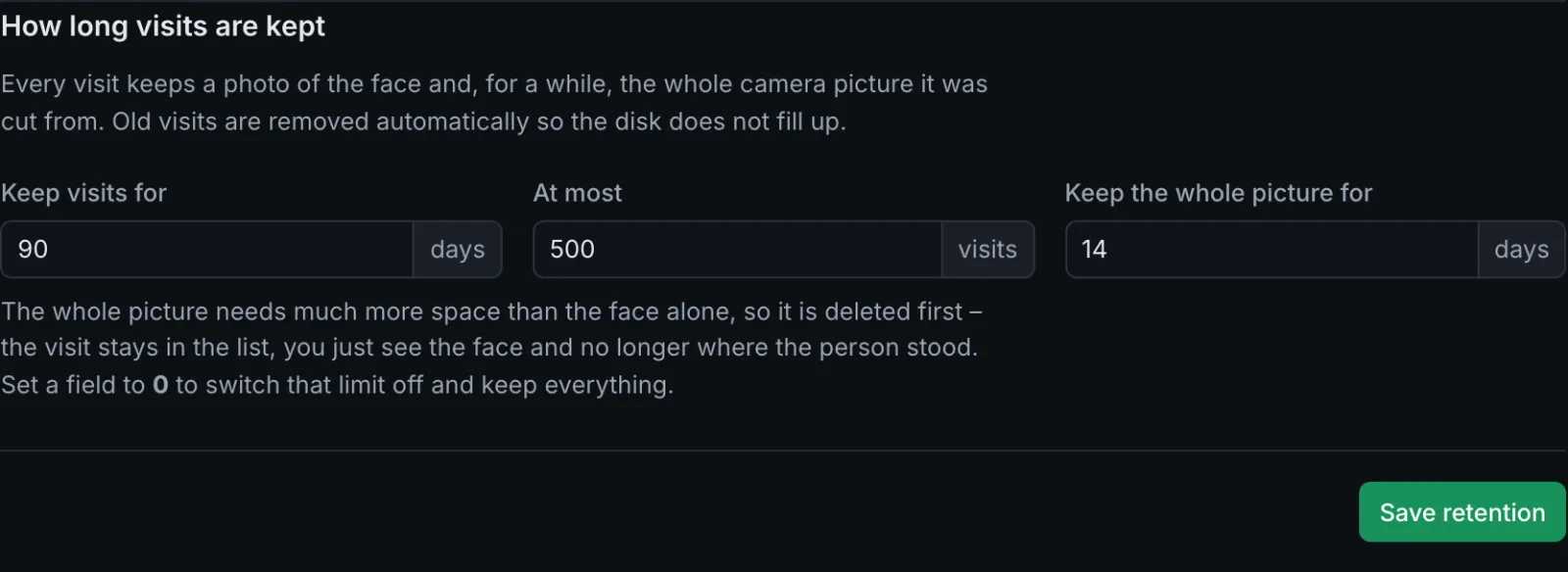
| Setting | Default | What it does |
|---|---|---|
| Keep visits for | 90 days | Older visits are deleted, with their pictures |
| At most | 500 visits | Beyond that, the oldest are deleted |
| Keep the whole picture for | 14 days | The whole picture needs much more space than the face alone, so it goes first. The visit stays in the list, with the face |
0 switches a limit off and keeps everything. Save retention applies the settings.
Shorter is better where people have not agreed to be recorded, at a shop entrance, in a hotel lobby. Privacy and your data has more on this.
The pictures are kept in the folder saved_faces inside the data folder, or wherever the
variable EVENT_IMAGES_FOLDER points, see Installation.
Events elsewhere
The event log is for looking back. To react to a visit as it happens, switch a light, send a message, open a door, set up a rule under Notifications: see Connections and rules. Home Assistant receives every event on its own through discovery.