Use cases
Use case: smart home
Face recognition recipes for the smart home: a doorbell that knows who rang, children home from school, couriers, the driveway at night.
On this page
A camera at the front door already sees everybody who comes home. FaceStream.AI adds the one thing a smart home cannot find out by itself, who it is, and passes it on to Home Assistant, Loxone, KNX or your phone. The recipes below are ready to copy; each one says what to set up in FaceStream.AI and what the home automation does with it.
FaceStream.AI reports; your home automation decides.
The doorbell that knows who rang
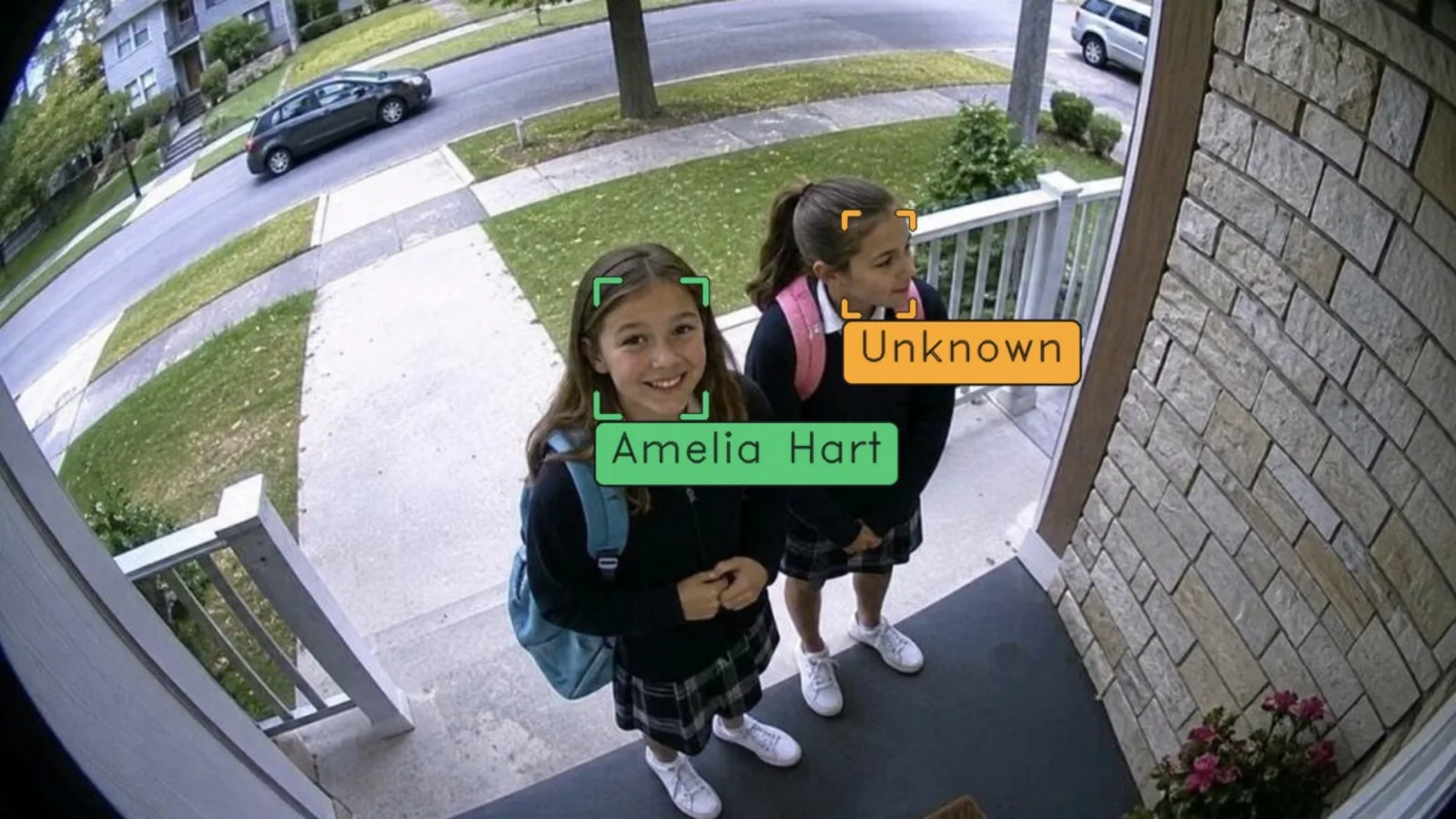
The front door camera looks only when somebody rings, and answers the question who is it?: a name for the family, a notice for a known courier, a picture on your phone for everybody else.
| Camera | When it recognises: On request only. The bell calls the camera's trigger URL, from Loxone as in step 2 of the Loxone page, from Home Assistant with the Recognise now button (example), or from any door station that can call an address |
| People | The household, with two or three photos each |
| Rule 1 | Visit starts, Selected people: the household → your home automation: welcome scene, hallway light, the name on the display |
| Rule 2 | Face without a match → a push message with the whole picture |
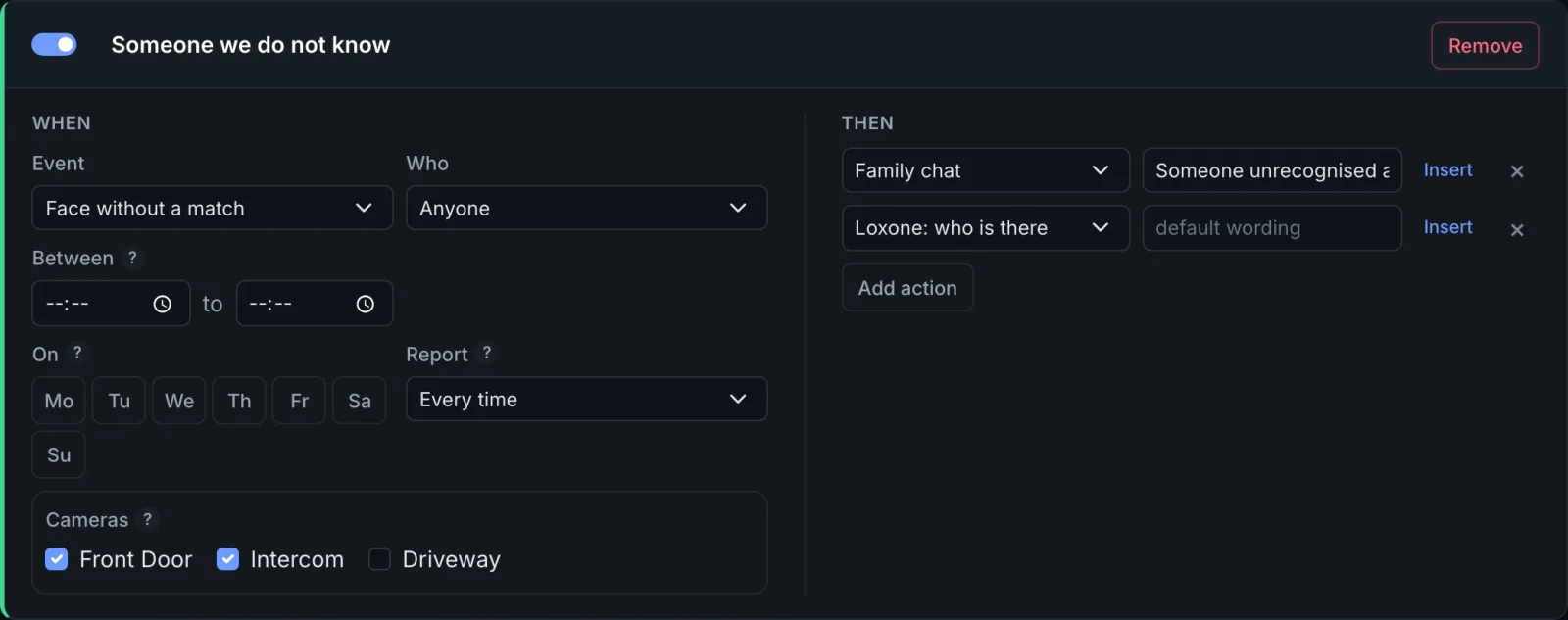
Keep in mind. A stranger at a doorbell is a Face without a match, not a Visit starts, a rule on Unknown people would stay silent. If a family member arrives with a friend, only the family member is reported: the request has its answer. If nobody was in the picture, the parcel was left, the ringer walked off, no answer follows the request, so nobody there never looks like a stranger.
Home from school
The parents get one message when a child comes home on a school day, not one every time the child walks past the camera again.
| Camera | The front door, Continuously or On request only |
| Rule | Visit starts, Selected people: the children, Between 12:00 and 18:00, On Monday to Friday, Report Once per time window |
| Then | Telegram, Pushover or ntfy to the parents: [[name]] is home ([[time]]) |
The first arrival in the window is reported, every later one that afternoon is not. Holidays are not the rule's business; if the message should pause during the school holidays, switch the rule off, or let the home automation decide whether to pass it on.
A known courier with a parcel
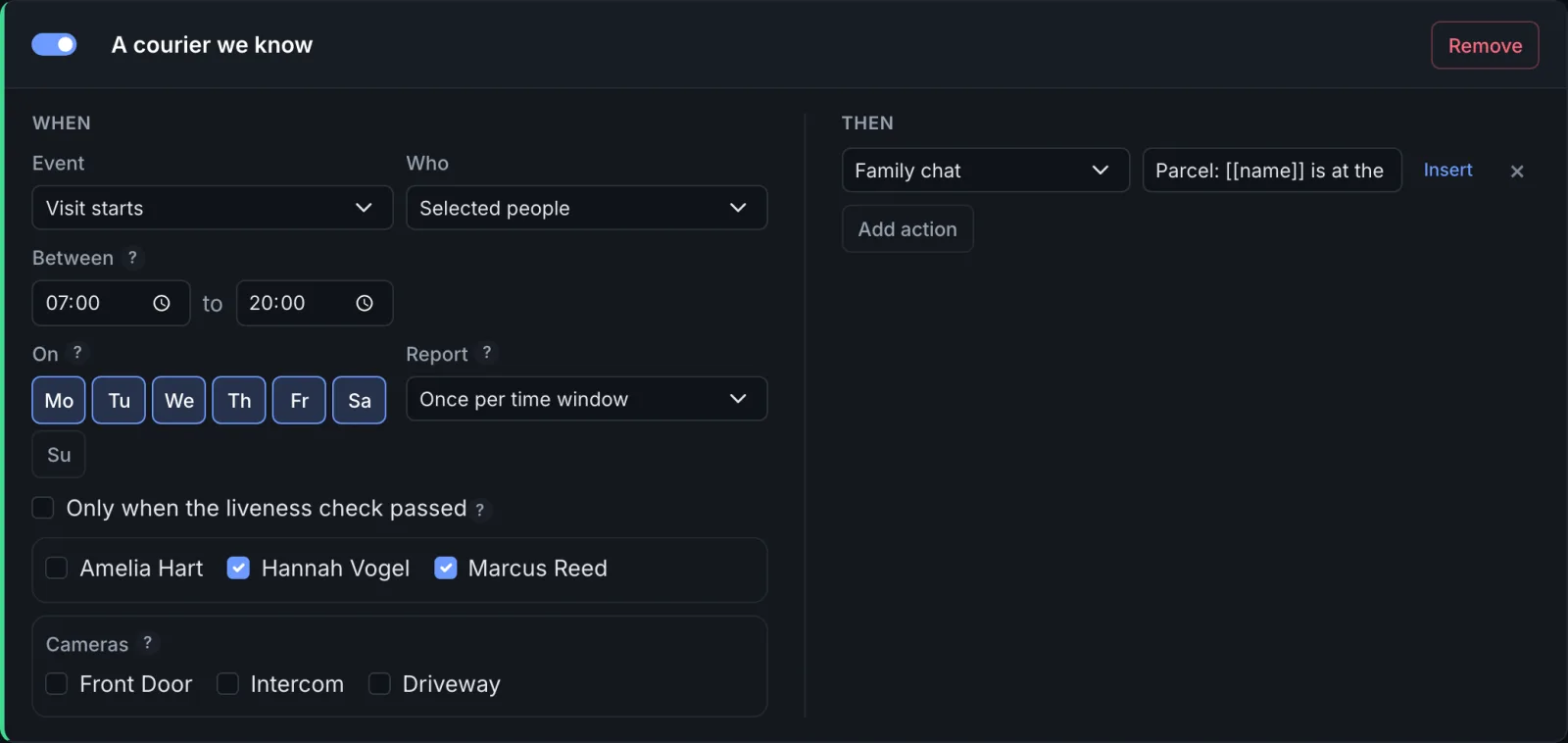
People who come often and agreed to it, the regular postwoman, the courier of the parcel service, can be enrolled too. Ask them first: it is their face.
| Rule | Visit starts, Selected people: the couriers, Between 07:00 and 20:00, On Monday to Saturday, Report Once per time window |
| Then | A message with its own wording: Parcel: [[name]] is at the [[source]] |
The driveway at night
A camera over the driveway, a motion sensor that starts it, and at most one message every half hour, with the picture, so you can judge for yourself.
| Camera | On request only, started by the motion sensor through the trigger URL, or Continuously if there is no sensor |
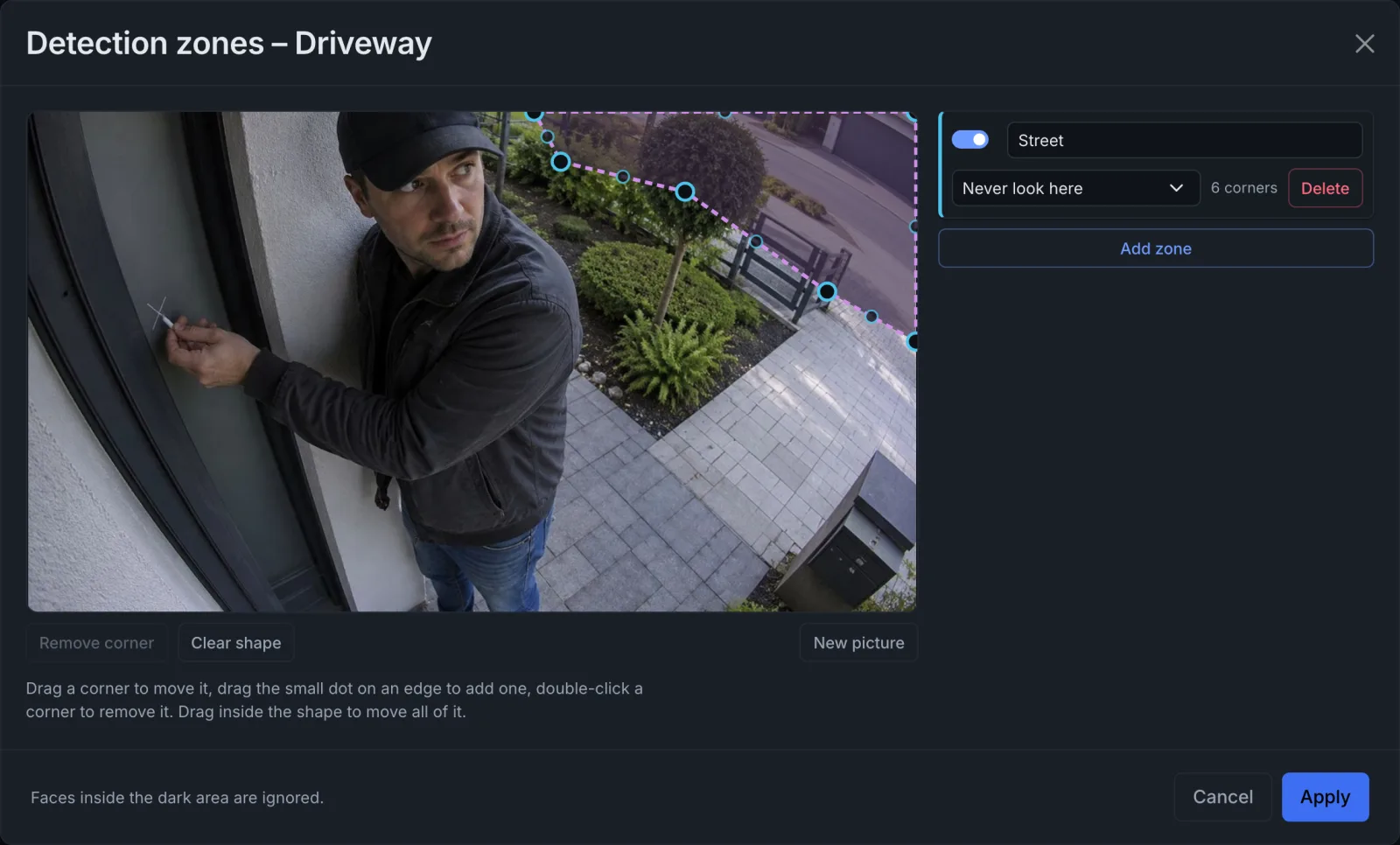
| Zones | A zone Never look here over the pavement and the street, so passers-by neither cost processing time nor turn up as Unknown |
| Rule | Face without a match, with Continuously: Visit starts and Unknown people, Between 22:00 and 06:00, Report Then pause 30 minutes |
| Then | A push message with the whole picture, with the name drawn in |
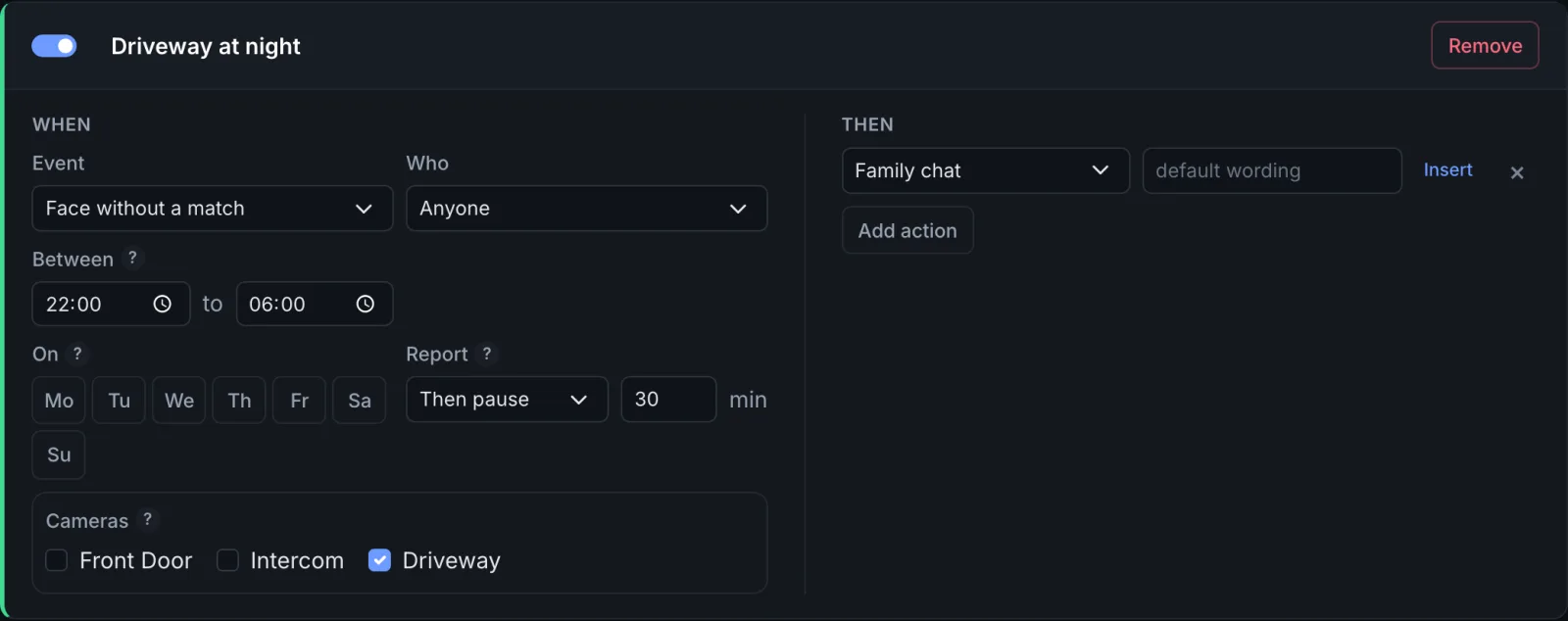
A window over midnight belongs to the day it starts on: a Friday rule from 22:00 to 06:00
still applies on Saturday at 02:00. For the pause, everybody Unknown counts as one person,
so a second stranger within the half hour is in the event log but not in a message.
The door opens for the family
The most asked-for recipe, and the one to set up with the most care. FaceStream.AI never opens a door; your Miniserver or your Home Assistant does, on a message from it.
| Camera | On request only, the bell starts it, so the face answers a question instead of being the only key |
| Recognition | The liveness check on, Effort Thorough; Strictness Normal or Strict |
| Rule | Visit starts, Selected people, Only when the liveness check passed |
| Then | A pulse to the Miniserver (Loxone) or an automation in Home Assistant that checks the event type (Home Assistant) |
The liveness check stops a photo held up to the camera on the off chance. It does not stop somebody who prepared, a good display at the right distance can pass, and so can a mask. Decide for yourself whether a face may be the only key, or whether it should only unlock the door during the day, when somebody is at home, or together with a code. Rules that open a door has the three safeguards.
Who is at the door, on the screen
- Home Assistant: the live picture of the camera with faces framed and named, and the face of the last arrival, see The live picture on a dashboard.
- Loxone: the name on a virtual text input, shown in the Loxone app, see step 3 of the Loxone page.
- KNX: the name on a display that shows text, datapoint type 16.001, see KNX.
Everybody at home agrees
Everybody you enrol should know and agree, and visitors should be able to see that a camera recognises faces. Keep the event log short: thirty days are plenty for a home. and point the cameras at your own property rather than the street. More in Privacy and your data.