Use cases
Use case: hotels and hospitality
Face recognition in hotels, with consent: greet returning guests who opted in, and hear about unknown people in staff areas after hours.
On this page
In a hotel, a guesthouse or a restaurant, FaceStream.AI is useful in two places: at the front, where it lets the reception greet a returning guest by name, and at the back, where it tells the duty manager about somebody unknown in an area only staff should be in. Both run on the cameras the building already has, on a machine in the house, without a cloud service.
It reports; people decide. FaceStream.AI does not open doors to rooms, does not keep time sheets and does not replace an access control system.
Consent comes first
Recognising a face is processing biometric data. In the European Union that generally takes the explicit consent of the person, in practice, a guest who has been asked and said yes, and who can take it back at any time. That shapes every recipe on this page:
- Enrol only people who agreed, the regular guest who signed up for recognition at check-in, the staff member who was informed.
- Everybody else stays
Unknown. FaceStream.AI does not recognise anyone it has no photo of; what it keeps of unknown visitors is a face photo per visit, and for a shorter while the whole picture, for as long as you set under Events. - Say so at the entrance with a sign, and in your privacy notice.
- Delete when asked, and when a guest leaves if the agreement was for one stay. See Removing a person entirely.
Talk to your data protection officer before you start; this page describes what the software does, not what the law in your country requires.
A returning guest at the entrance
The reception tablet shows the name of a guest who opted in as they come through the door, so the first words they hear are their own name.
| Camera | The main entrance, Continuously, facing people as they come in, not the street |
| People | Guests who agreed, enrolled with a photo taken at check-in with their permission |
| Rule | Visit starts, Selected people: the guests, the entrance camera, Between 06:00 and 23:00, Report Once per time window |
| Then | ntfy to the reception tablet, with the face photo: [[name]] has just come in through the [[source]] |
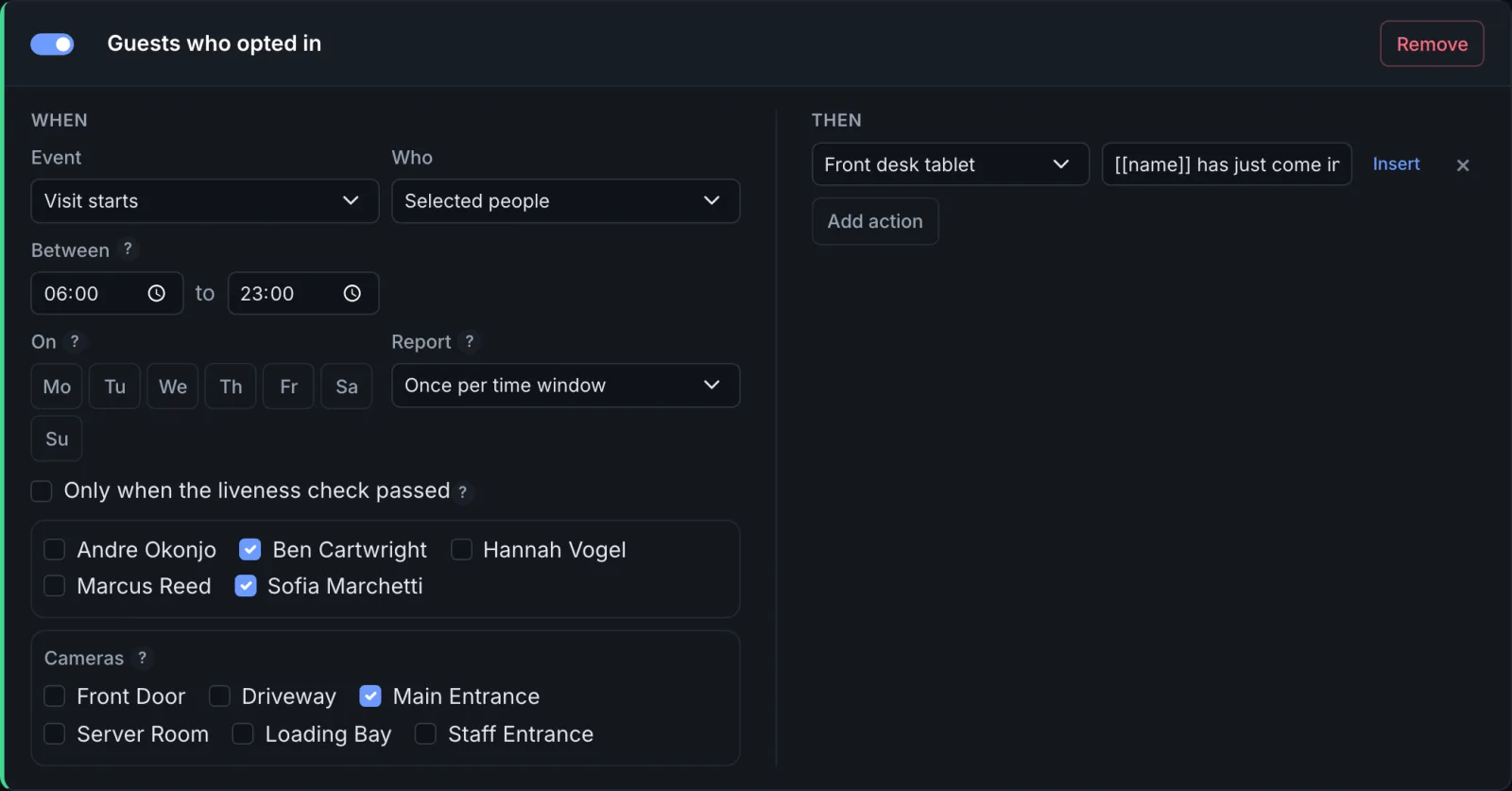
Once per time window announces each guest once a day, however often they pass the door. Run your own ntfy server in the house, and the photo does not leave the building.
Somebody unknown in a staff area
The kitchen, the back office, the corridor behind reception: places where every face should be a known one. An unknown face there is worth a message to the duty manager, with the picture, so they can tell a lost guest from a problem.
| Camera | In the staff area, Continuously |
| People | The staff who agreed to be recognised there |
| Rule | Visit starts, Unknown people, the staff area cameras |
| Then | A push message with the whole picture, with the name drawn in to the duty phone |
A camera that recognises continuously in a busy corridor sees a lot; set its Check every … frames higher if the machine struggles, and keep the visits only as long as you need them.
Deliveries and the back door after hours
The loading bay and the staff entrance, outside the hours somebody is there to open.
| Rule | Visit starts, Anyone, the loading bay and staff entrance cameras, Between 22:00 and 06:00 |
| Then | The night porter's phone |
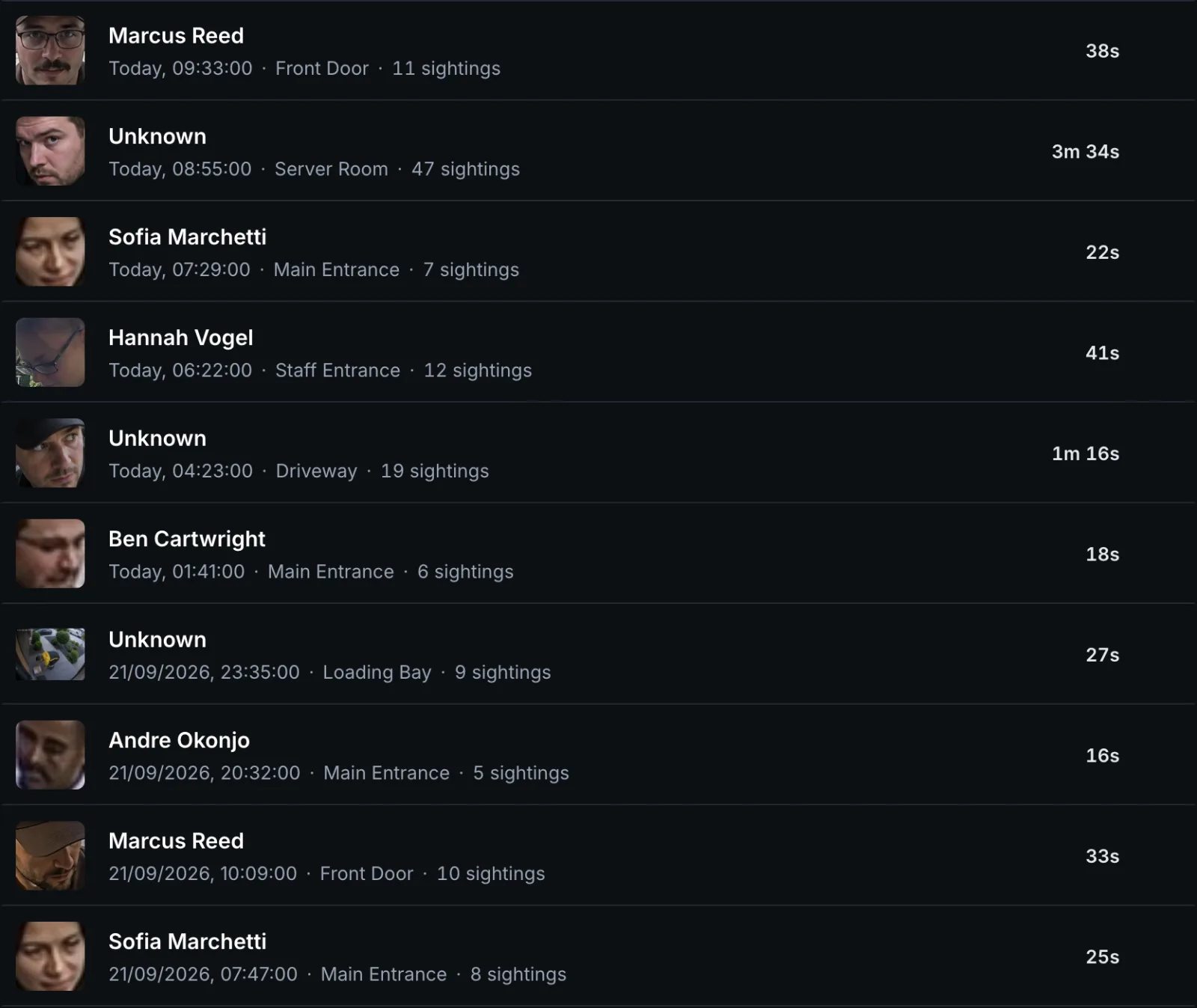
At night, Report Then pause keeps a delivery driver who walks in and out from
sending ten messages. For the pause, everybody Unknown counts as one person: a second
stranger within the pause is kept in the event log but not reported, choose the pause
with that in mind.
One installation, many cameras
A hotel quickly has more cameras than Pro's three. Business covers fifteen cameras and a thousand people, and adds syslog for a building that collects its logs centrally, see Editions and licence and the system requirements for the hardware.
The server room and the office are on the page Security and restricted areas.