Integrations
Push messages, e-mail and syslog
A push message with the picture via Telegram, Pushover or ntfy, an e-mail with the face and the whole picture, or a line in your syslog collector.
On this page
When a person should hear about an arrival rather than a system, FaceStream.AI sends a push message to a phone, through Telegram, Pushover or ntfy, or an e-mail. Syslog is for installations that collect their logs in one place. All of them are connections under Notifications, and a rule decides when they are used, see Connections and rules.
| Type | Picture | Edition |
|---|---|---|
| Telegram | one | Pro and up |
| Pushover | one | Pro and up |
| ntfy | one | Pro and up |
| the face, the whole picture, or both | Pro and up | |
| Syslog | none | Business and up |
The picture
Push services and e-mail can carry a picture. Attach chooses which:
| Choice | Shows |
|---|---|
| The face photo | Who it was, small, quick to load |
| The whole picture, with the name drawn in | What was going on: alone or with others, a parcel in hand, a car in the drive. The face is framed and named, so it is clear who the message is about |
| Both | E-mail only |
| Nothing | Just the text |
A picture sent to Telegram, Pushover, ntfy.sh or a mail provider leaves your network and
is stored by that service. If that matters, run your own ntfy server or mail server, or
send only the text and follow the link [[frame_url]] at home.
Telegram
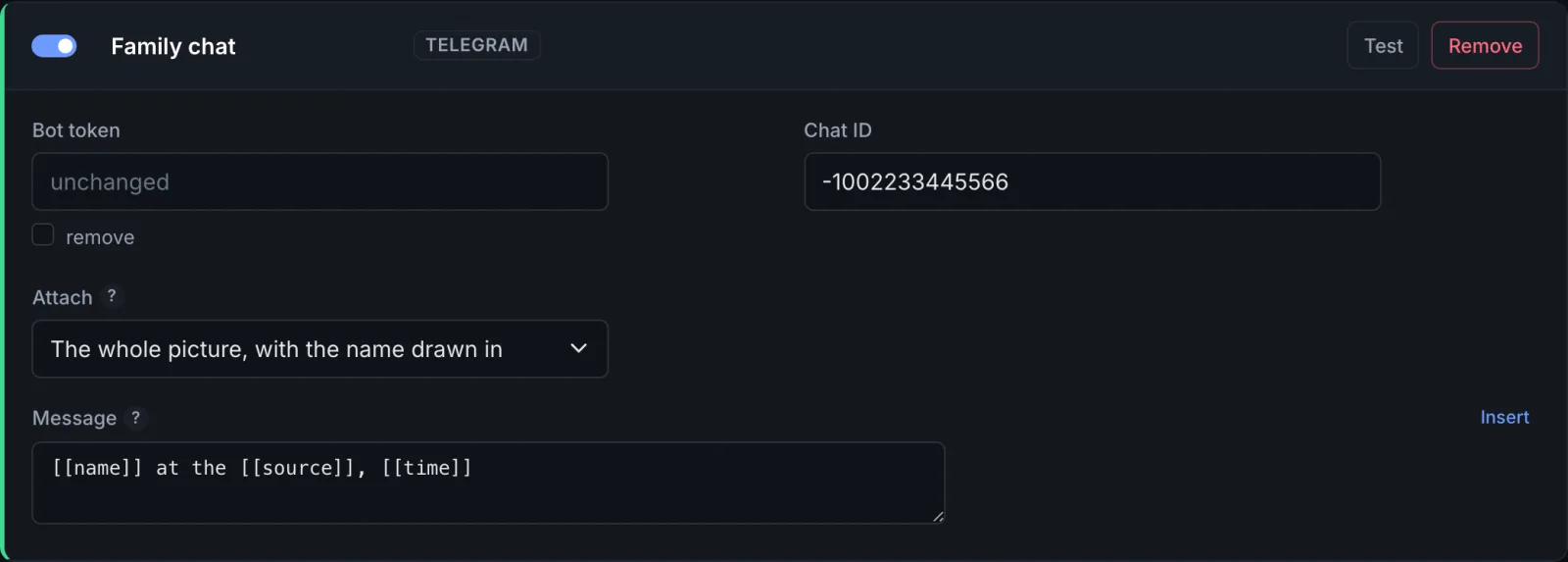
- In Telegram, talk to @BotFather, create a bot with
/newbot, and copy the token. - Send your new bot a message, or add it to a family group.
- Open
https://api.telegram.org/bot<token>/getUpdatesin a browser and find"chat":{"id":…}. Group IDs are negative, and the minus sign belongs to them. - In FaceStream.AI, Add connection → Telegram: Bot token, Chat ID, the picture
under Attach, and the Message,
[[name]] at [[time]]by default.
chat not found in the answer means the chat ID is wrong, or the bot has never received a
message in that chat.
Pushover
Create an application on the Pushover website to get an App token, and copy your User key from its dashboard. The message arrives with the title FaceStream: and the name.
ntfy
| Field | |
|---|---|
| Server | https://ntfy.sh, or your own ntfy server |
| Topic | The topic your phone subscribes to |
| Token | Only if your server requires one |
| Priority | From min to urgent; the higher, the more insistently the phone announces it |
On the public server, anybody who knows a topic can read it. Choose a long, random topic
name, not front-door.
The one channel that leaves a record: a message with the date, the time and the pictures that stays in a mailbox.
| Field | What to enter |
|---|---|
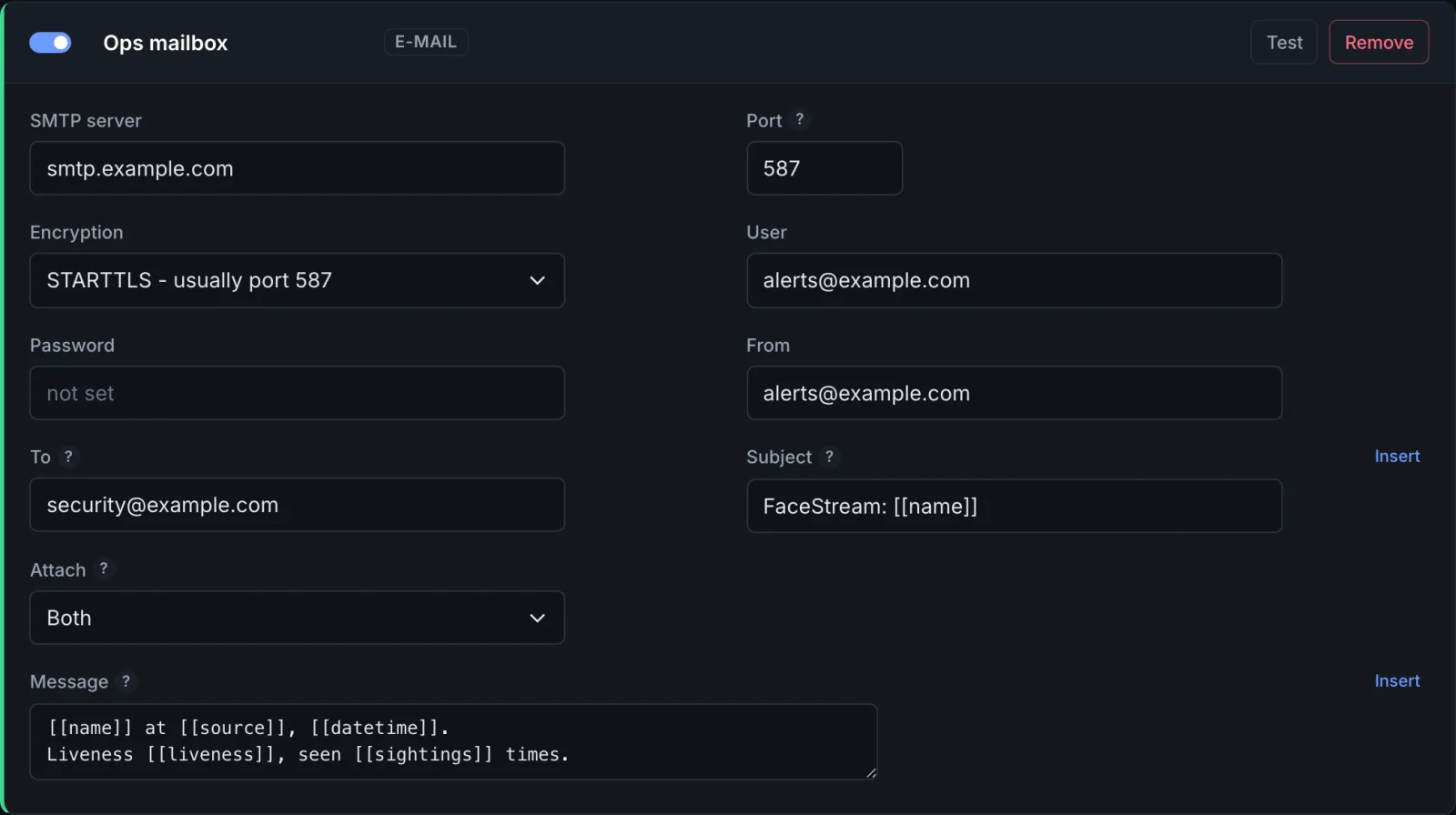
| SMTP server, Port, Encryption | Your mail provider's outgoing server. STARTTLS on port 587 is the usual choice, SSL/TLS on port 465, None only inside a network you trust |
| User, Password | The mailbox account; many providers want an app password here |
| From, To | Several recipients separated by commas |
| Subject | FaceStream: [[name]] by default. Placeholders work |
| Attach | The face, the whole picture, both, or nothing |
| Message | [[name]] at [[datetime]] on [[source]]. by default |
Recent deliveries says how many recipients the server accepted and which pictures were attached. Accepted means handed to the next mail server, not yet in the mailbox, a bounce can still follow.
Syslog
For installations with a log collector, Graylog, a SIEM, rsyslog on a server: every message becomes one line in RFC 5424 format, next to everything else the collector keeps. In Business and up.
| Field | What to enter |
|---|---|
| Collector, Port | The address of the collector, 514 by default |
| Transport | TCP by default: a message lost on the way is noticed. UDP is the traditional choice, and a message can disappear without anyone knowing |
| Facility | local0 to local7 |
| Severity | From Error to Debug, Informational by default |
| Application name | facestream by default; collectors filter on it |
| Message | [[event]] [[name]] on [[source]] by default |
A line as the collector receives it:
<134>1 2026-09-22T12:32:05.123+00:00 facestream-host facestream - - - visit_started Amelia Hart on Front Door
The time at the start of the line is always in UTC; put [[datetime]] into the message if
you want the local time as well.