Use cases
Use case: security and restricted areas
Face recognition for server rooms, entrances after hours and restricted areas: alerts with the picture, e-mail records, syslog.
On this page
A server room, a stockroom, an office entrance after hours: places where the question is not who is it? but is it somebody who belongs here? FaceStream.AI answers it on the cameras you already have, reports an unknown face with the picture, and keeps a visit log that says who was where and for how long.
It reports. It is not an alarm system and not an access control system, and it records pictures of visits, not video. Use it next to those systems, not instead of them.
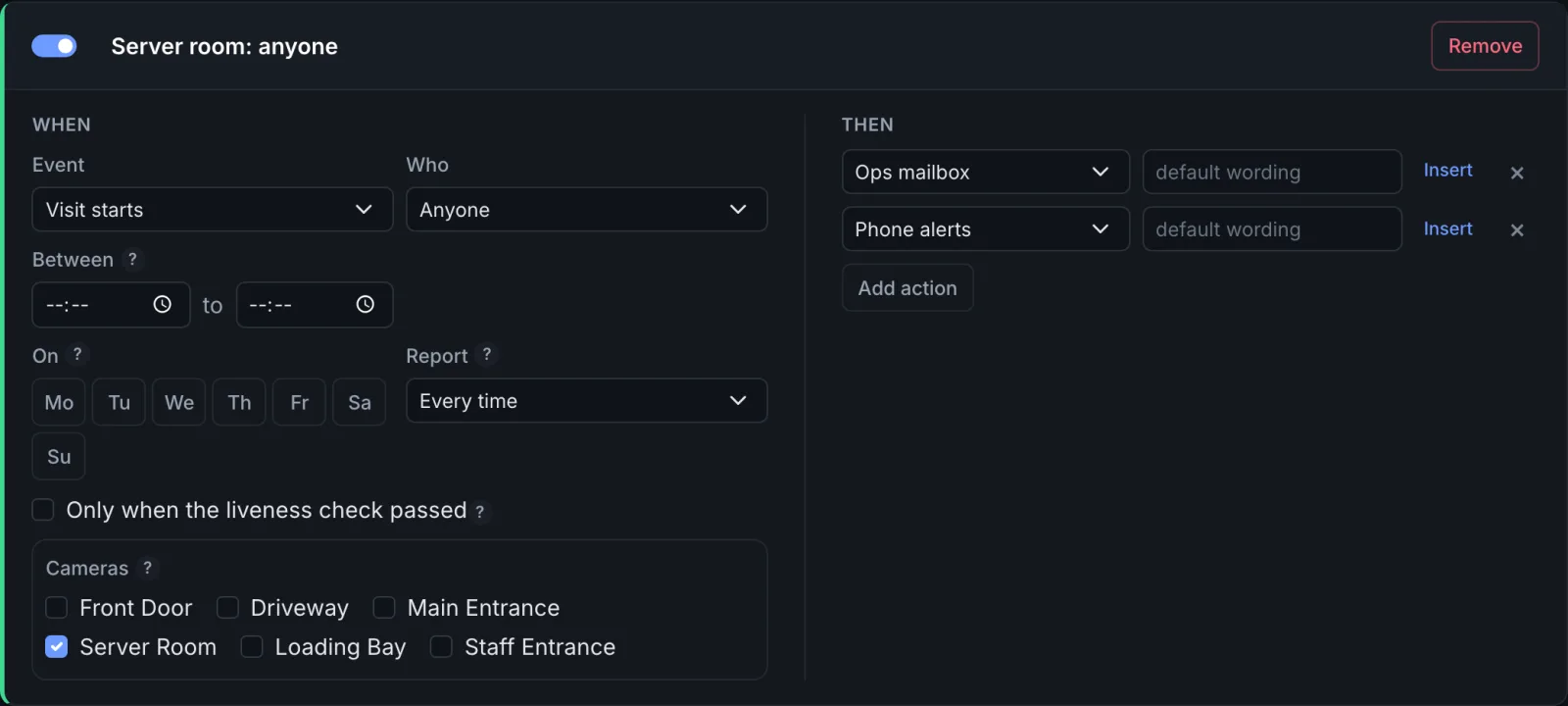
Anyone in the server room
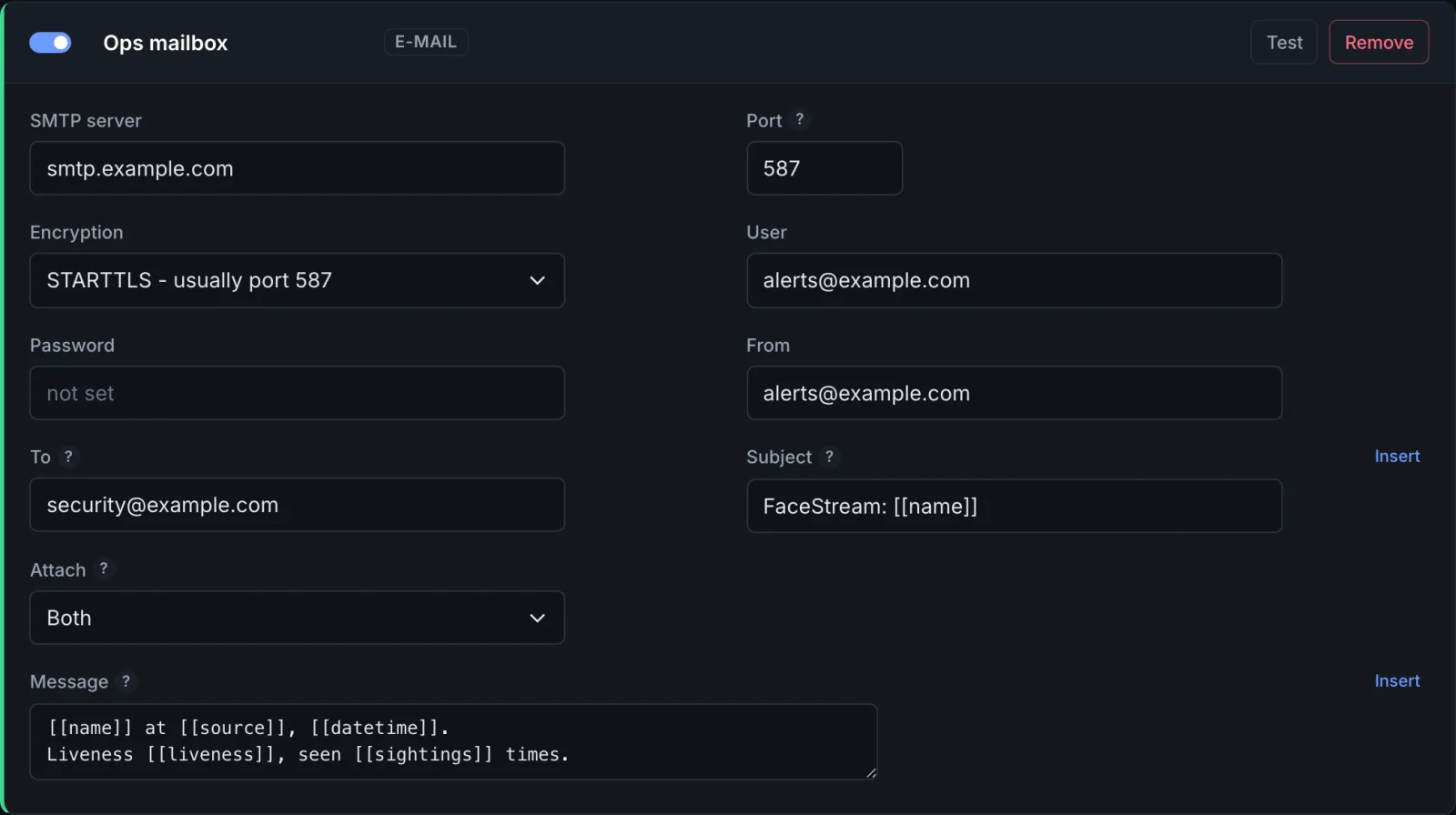
Every face in the server room is reported, with the whole picture, by e-mail, so there is a record that outlives the event log.
| Camera | In the server room, Continuously. Check every … 40 frames or less, so a short visit is not missed |
| People | The people who work there, if known faces should be reported differently |
| Rule | Visit starts, Anyone, or Unknown people only, the server room camera |
| Then | An e-mail with both pictures to the operations mailbox, and a push message to the phone on duty |
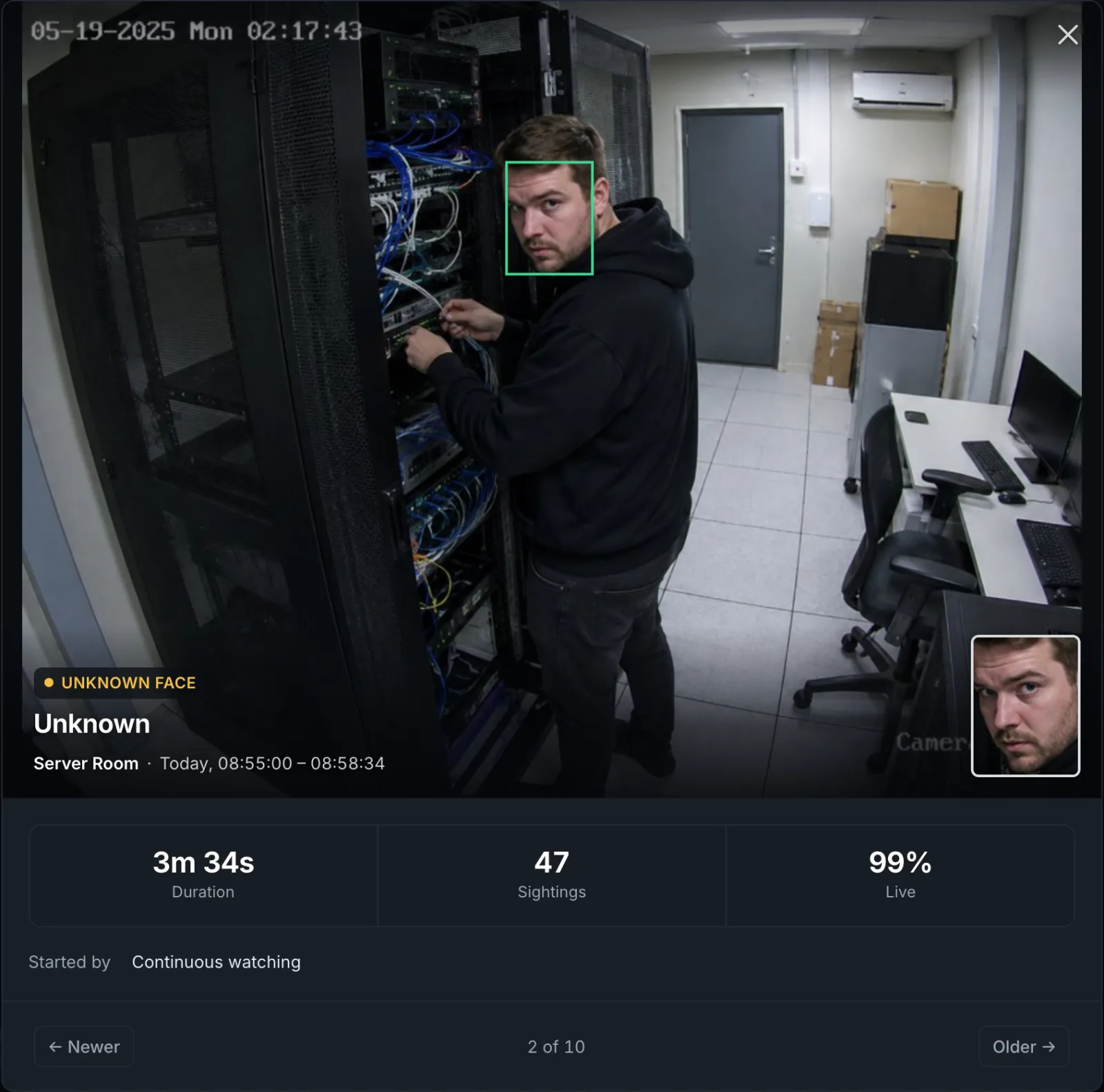
The visit in the event log shows the whole picture with the face framed, how long the person stayed and how often the camera saw them:
An entrance after hours
During the day, the entrance is busy and nobody needs a message. After hours, every face is worth one.
| Rule | Visit starts, Anyone, the entrance camera, Between 19:00 and 06:30 |
| Then | The phone on duty |
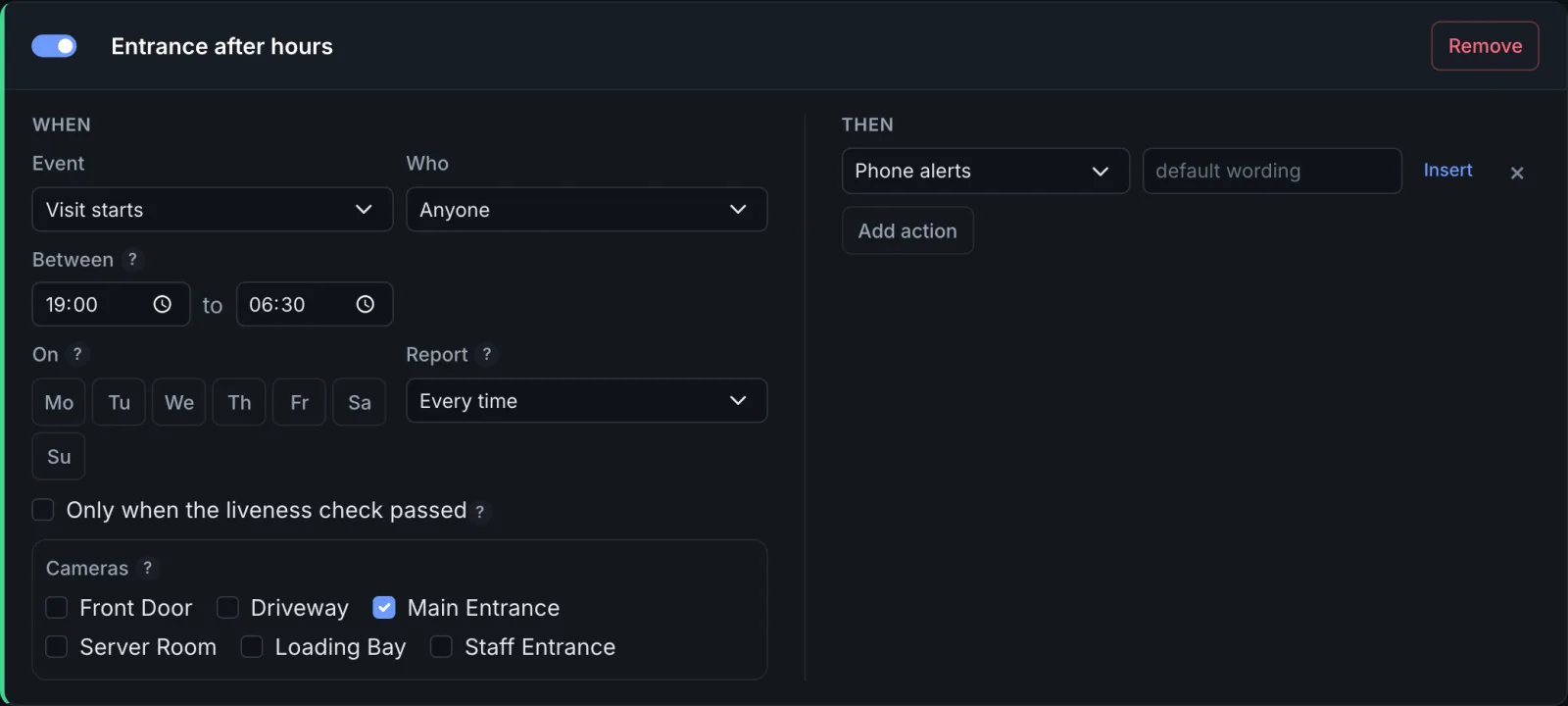
For the weekend, a second rule with On Saturday and Sunday and no time window covers the whole day. A window over midnight belongs to the day it starts on: Friday 19:00 to 06:30 still applies at 02:00 on Saturday.
A photo held up to the camera
Somebody holding up a printed photo or a phone with a picture of an employee is worth knowing about, whether or not it would have worked. In Pro and up, the liveness check flags such a face as a suspected spoof.
| Camera | Recognition: the liveness check on, Effort Thorough |
| Rule | Suspected spoof, Anyone |
| Then | The phone on duty, with the whole picture |
A suspected spoof carries the name of the person the photo shows, is kept in the event log as its own entry, and never turns into a visit of that person. The check works from a single colour image: it catches a photo held up on the off chance, not a prepared attack with a good display or a mask. Recognition and requests explains the settings.
Into the log collector
In Business and up, a Syslog connection writes every event it is given into your
log collector as one line, Graylog, a SIEM, rsyslog, next to the logs of the door
controller and the network. A rule on Visit starts and one on Visit ends give arrival
and departure; [[event]] [[name]] on [[source]] is the default line. See
Push messages, e-mail and syslog.
Fewer false alarms
- Zones. A zone Never look here over a window to the street, a reception desk visitors lean over, a poster with a face on it. See Detection zones.
- Strictness. For a rule that sends a security guard, Strict on the camera's
Recognition dialog makes a mix-up of two known people less likely, at the price of
more
Unknown. - Photos. Two to five photos per person, some taken by the camera in question. See People and photos.
- Report. Then pause stops a person standing in view from sending a message every
time they turn away. For the pause, everybody
Unknowncounts as one person, so keep it short where a second stranger matters.
Recording what is needed, and no more
Visits keep a face photo and, for a while, the whole picture. Set the retention under Events to what your purpose needs, the whole picture 14 days by default, the visits 90, and tell employees and visitors that the cameras recognise faces. In many countries the employees' representatives have a say before cameras recognise staff; ask before you start. Privacy and your data says what is stored where.